Why We Rebuilt Our Website on a Headless Stack (and When Webflow Is Still the Right Choice)
We moved our own site from Webflow to Astro, Sanity and Cloudflare in about a week of hands-on work, with AI tools helping. Here's why, what we measured, and when Webflow is still the better choice.

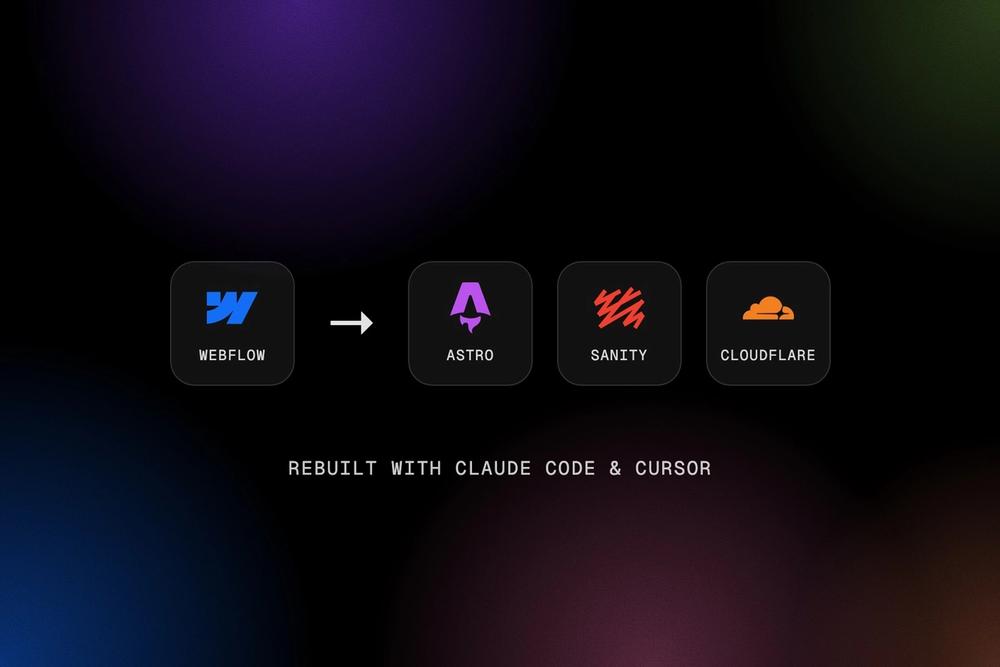
Our website is the first thing most clients see, so it should show what we can do. For a few years that meant Webflow, and it served us well. But as our work grew into Shopify builds, custom headless projects and ongoing care plans, our own site started to feel like it was holding us back.
So we rebuilt it on a modern headless stack. It took about a week of hands-on work, with AI coding tools doing much of the heavy lifting. Here's what we changed, why, what we measured, and how to tell whether the same move makes sense for your business.
Why we rebuilt
Webflow is a great platform, and we still build on it for clients. Our reasons were specific to us:
- Speed. We wanted our own site to load as fast as the sites we build for clients, especially on phones.
- Content that fits our business. Services, projects, case studies and blog posts are different kinds of content. We wanted each one structured properly, so it can be reused across the site.
- Room to grow. Contact forms, newsletter sign-ups and integrations should work exactly how we want, without being limited by a platform.
- Showing, not telling. We build headless websites for clients. It made sense for our own site to be one.
The new stack, in plain English
"Headless" means the place you edit content is separate from the website itself. Here's what each piece does:
- Astro builds the website. It turns our pages into fast, lightweight files that load almost instantly, with very little code sent to visitors' phones.
- Sanity is where we edit content. It's an online editor for every page, service and blog post. When we click Publish, the site updates itself, usually within two minutes.
- Cloudflare hosts it. The site is served from a global network close to visitors, along with our domain settings, security and the small piece of code behind our contact form.
- Lumos gives us a design system. It's a framework of consistent spacing, type and components, so every page feels like part of the same site.
Behind the scenes, Resend delivers our contact form and newsletter emails, and Cloudflare Turnstile keeps spam out without annoying visitors with puzzles.
How we worked: AI tools, with people in charge
We built the site with Claude Code and Cursor as our development environment. These AI tools wrote much of the code, ran the tests, checked accessibility and performance, and handled repetitive work like mapping every old page to its new address.
They didn't run the show, though. Every design decision, every word of content and every change to the live site went through a person first. We set clear rules: nothing gets published, deployed or deleted without approval, and every change must pass automated tests before it reaches the website. Today that's more than 200 automated checks plus around 100 browser tests on desktop and mobile, run on every single change.
The result felt less like handing work to a robot and more like working with a very fast, very thorough assistant. It still needs a clear brief and someone checking its work.
Moving without losing our search rankings
The riskiest part of any rebuild is losing the Google rankings you've built up over the years. We treated it as its own project:
- We listed every URL on the old site, 79 in total, and decided what should happen to each one.
- Pages that moved got permanent redirects (14 rules), so old links and search results still land in the right place.
- Thin or outdated pages were retired deliberately rather than redirected somewhere unrelated, which Google tends to ignore anyway.
- We kept the page titles that were already ranking, and tested every redirect before and after launch.
If you're planning a move of your own, this is the step not to skip. It's also the core of our website migration service.
The results
We tested the old Webflow site and the new site with the same tool, Google Lighthouse, in its mobile mode, taking the middle of three runs per page:
- Homepage: the speed score went from 89 to 96, and the page is about five times lighter to download (2.0 MB down to 0.43 MB).
- About page: from 88 to 97, and about ten times lighter (4.4 MB down to 0.42 MB).
- First content on screen: on the homepage, 1.7 seconds instead of 2.7.
- Accessibility: a perfect 100 across the pages we tested, and no issues found by automated checks on any of our 37 pages, in light and dark mode.
Not everything is perfect. Our blog listing improved from 75 to 84, but it's not where we want it yet, so that's next on our list. We'd rather share honest numbers than a highlight reel.
What we'd do differently
A few lessons from launch week:
- Double-check which domain you're editing. We own several versions of our domain, and on launch day we briefly changed the settings on the wrong one. It was quickly put right, but it's a good reminder to slow down at the critical steps.
- Hosting platforms add things you didn't ask for. Our new host quietly added its own analytics script, which our security settings blocked. It did no harm, but it took some digging to find the setting that switches it off.
- Domain changes take time. Moving a .com.au domain's settings can take hours to go through. Plan launch day with time to spare, and keep the old site running as a backup until everything is confirmed.
Is headless right for you?
Not always, and we'll tell you honestly. Webflow is still the better choice when:
- Your team wants to edit pages visually and change layouts without a developer.
- You need a polished marketing site quickly, on a modest budget.
- Your site is mostly pages and a blog, without complex features.
A headless setup starts to make sense when:
- Speed is a priority, especially for mobile visitors or competitive search terms.
- You have structured content, such as products, services or locations, that appears in many places.
- You need custom features, integrations or content shared with an app.
- You've outgrown your platform's limits, or its costs.
If you're weighing it up, have a look at our Webflow and headless services, or book a free 30-minute call. We'll tell you straight away which option suits your business, even if the answer is "keep what you've got".